Blog · August 5, 2026
One QR by the front chair: how a neighborhood nail studio keeps its seasonal service list current without reprinting a single card
Marisol runs a three-chair nail studio where the menu changes every season. Reprinting laminated cards was expensive and always out of date. In this walkthrough she sets up one SkyCanvas short link pointing to a live PDF menu, generates a warm rose-gold QR, tapes it to the front-desk mirror, and reads two weeks of scan data to decide which seasonal add-on becomes permanent.
Rosewater Nail Studio sits between a bakery and a bookstore on Linden Avenue in Ferndale. Three chairs, low-odor gels, single-use files, and a small walk-in list on top of the appointment book. Marisol Vega has been running it for six years with two apprentices, and the rhythm of the place is quiet on purpose.
The menu is not quiet, though. It moves with the seasons. Spring brings a new gel palette. October has a pumpkin-spice pedicure that regulars ask about starting in August. December is holiday nail art with tiny hand-painted ornaments. Every eight to ten weeks, something on the service list changes: a color drops, a price adjusts, an add-on gets a new name.
For years the answer was laminated cards at the desk. A local print shop charged around forty dollars for a run of twenty, and they were always slightly wrong. A client would point at a color from July while sitting in the chair in October. Marisol wanted one thing at the front desk that would just quietly stay correct: a QR code that pointed to whatever the current menu was, forever.
She found SkyCanvas through a neighbor who runs the bakery next door. The pitch was simple: one short link, one branded QR, and a live count of who scans it. That was exactly the shape of the problem.
1. Signing up
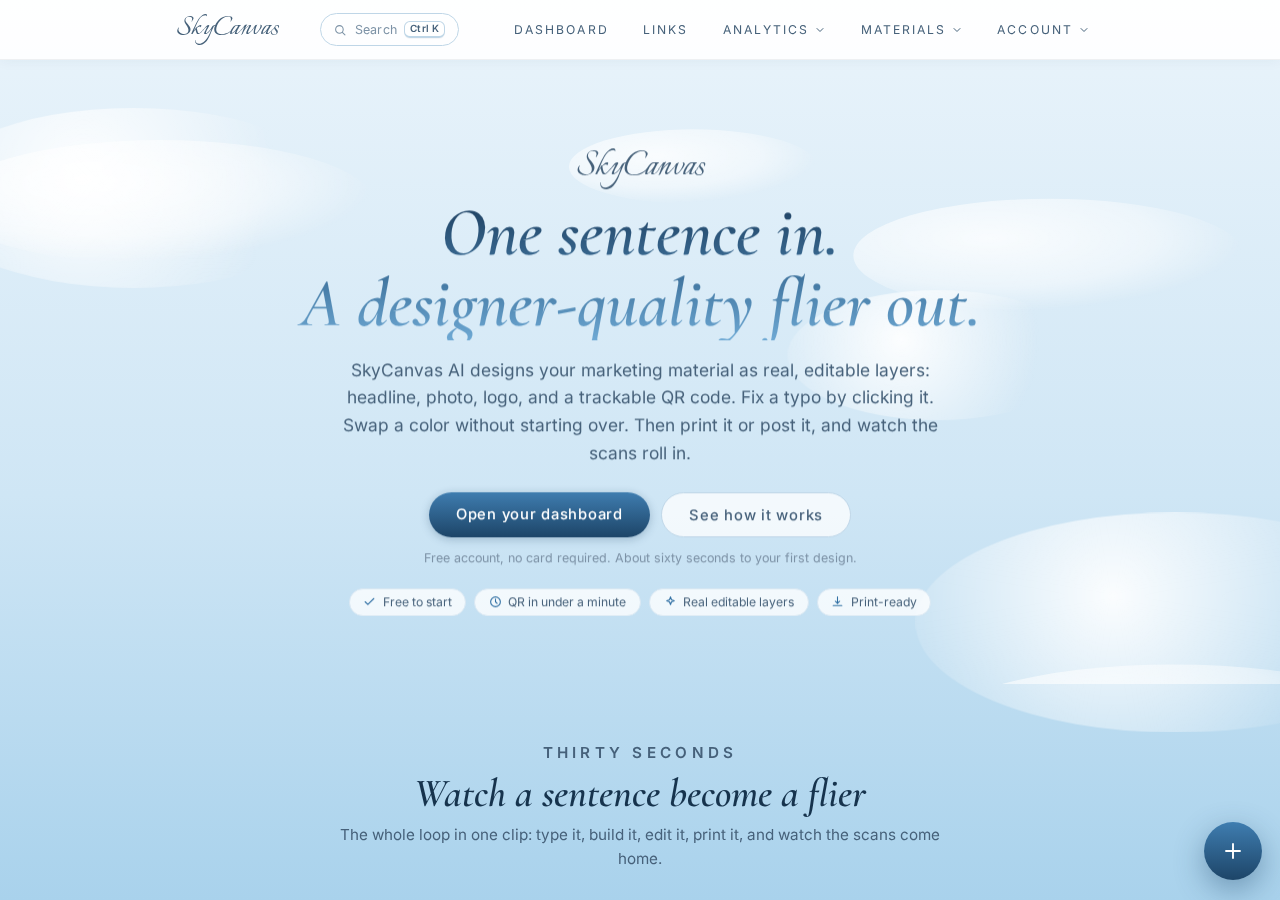
Marisol opened skycanvas.online on the studio’s iPad between appointments. The homepage is a short read: shorten links, generate QR codes, watch what happens. She tapped through to register.
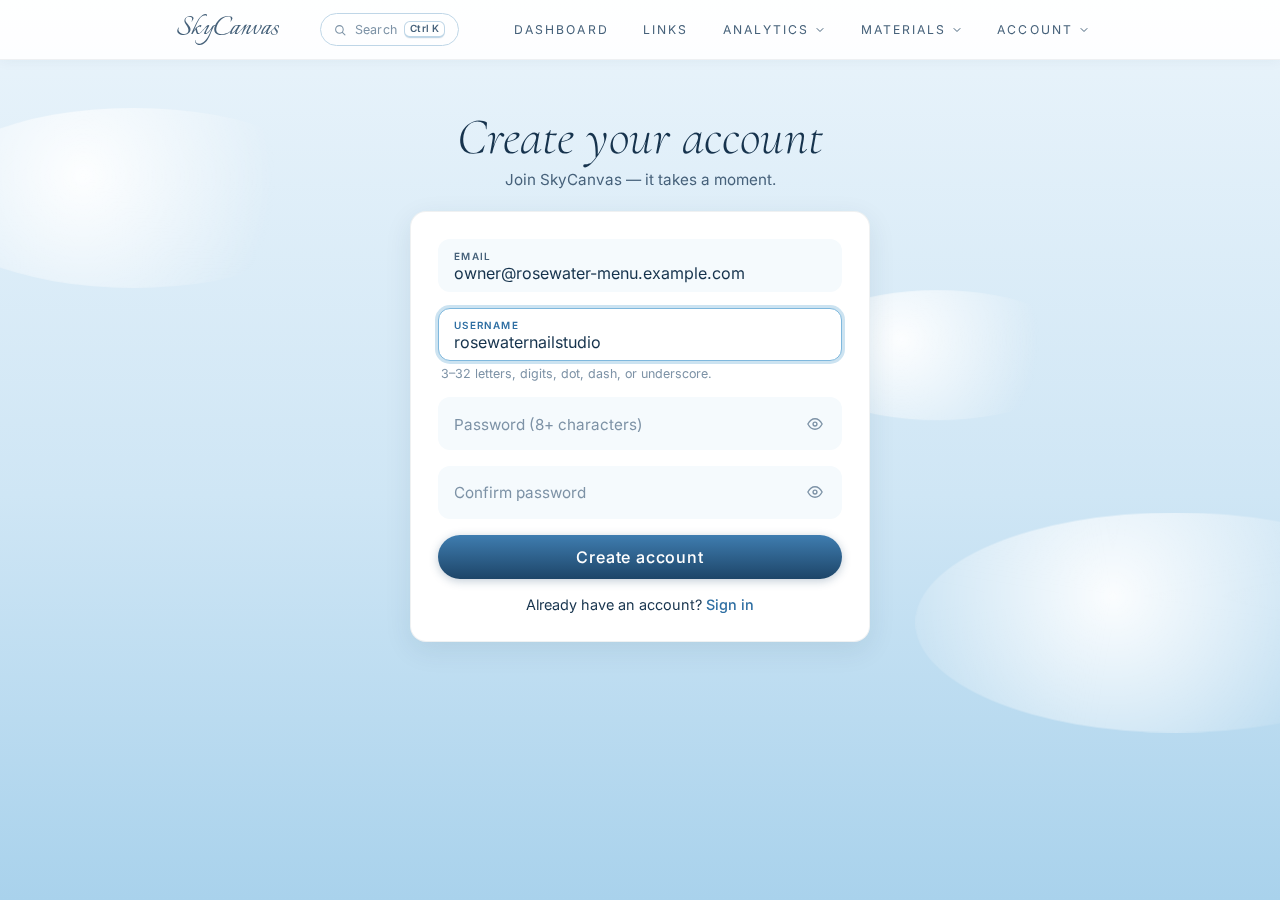
The signup form asks for an email and a username. She used the studio’s booking email and picked rosewaterlinden as the handle so anything public would carry the studio’s name. No credit card, no plan picker, no upsell wall. She was inside the dashboard in under a minute.
2. One link, forever
The plan was deliberate. Instead of putting a QR that pointed to a specific seasonal PDF (which would go stale the moment the season changed), she would keep a single file on her own website at menu-current.pdf and replace its contents each season. The QR at the front desk would never change. Only the file behind it would.
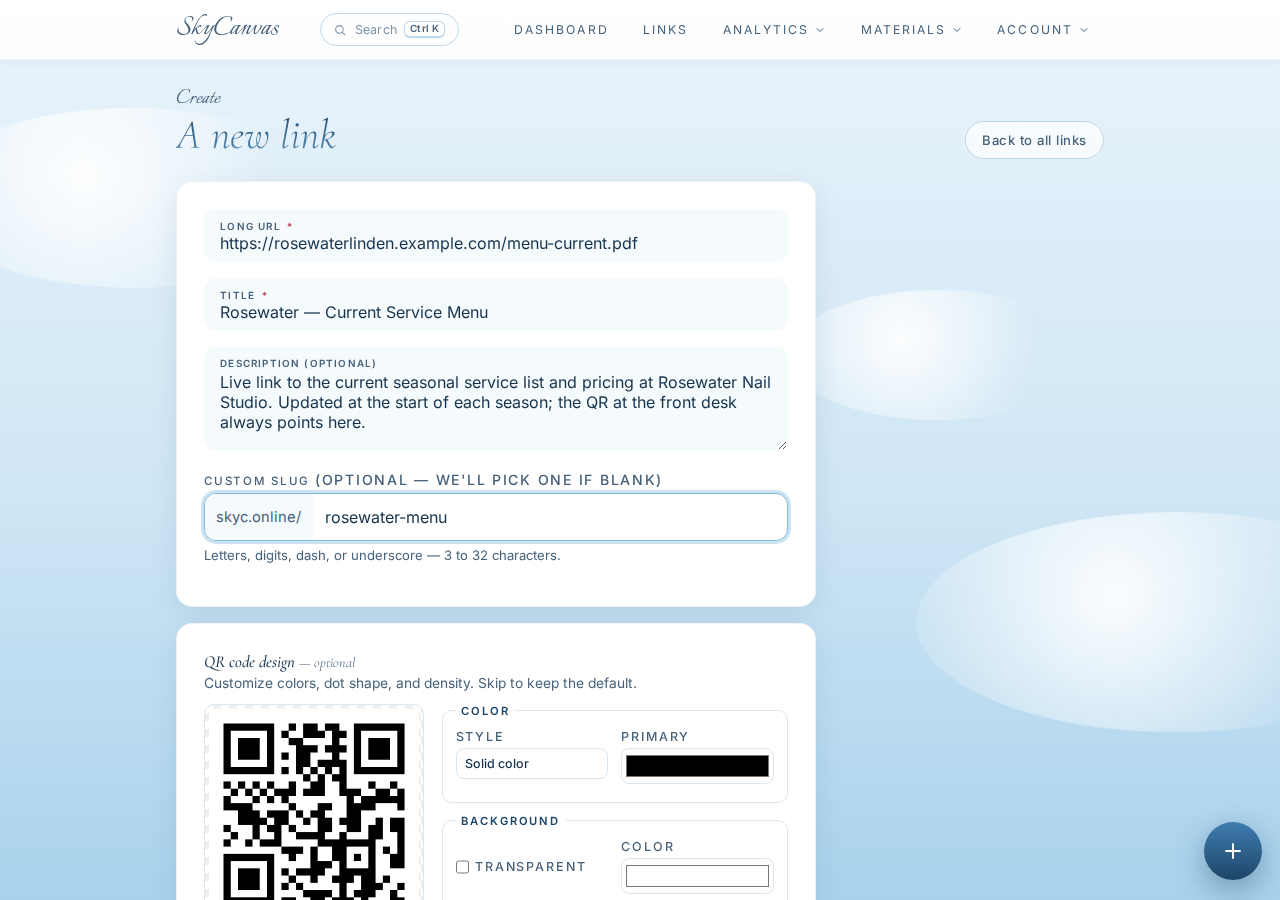
She opened the new short link form and filled it in:
- Destination URL: https://rosewaterlinden.example.com/menu-current.pdf
- Title: Rosewater, Current Service Menu
- Description: Live link to the current seasonal service list and pricing at Rosewater Nail Studio. Updated at the start of each season; the QR at the front desk always points here.
- Custom slug: rosewater-menu
A QR preview updated on the right as she typed, which felt honest. She could see what she was making before she made it.
3. The short link and the download
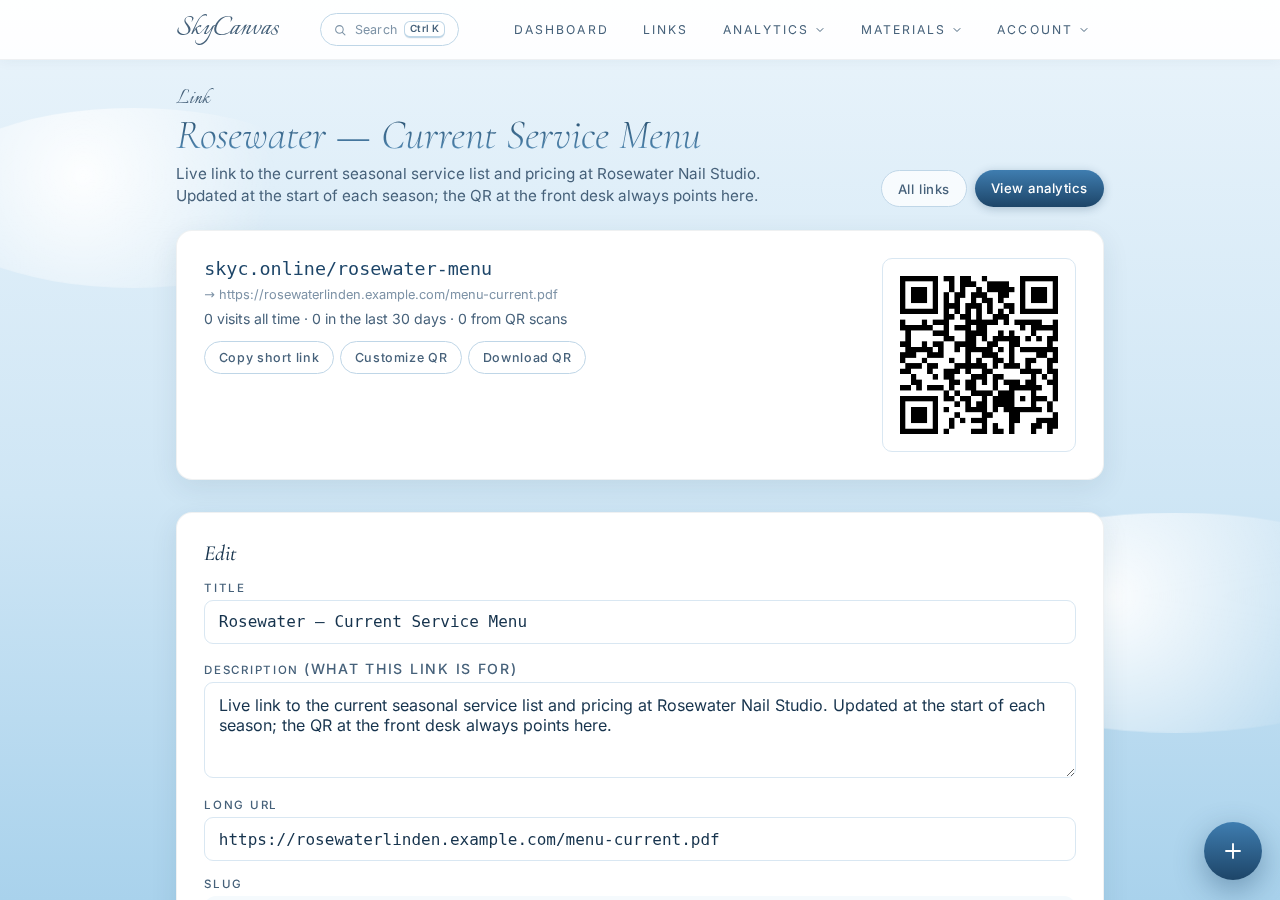
Save, and the link was live at skyc.online/rosewater-menu. The detail page laid out everything on one screen: the short URL, the destination, and a QR code sized for download. She copied the short URL into the studio’s Instagram bio while she was there. Two channels, one link, one truth.
The QR by itself was clean black on white, which would have been fine. But Rosewater has a color, and Marisol wanted the code on the mirror to feel like the studio, not like a shipping label.
4. Painting the QR in studio colors
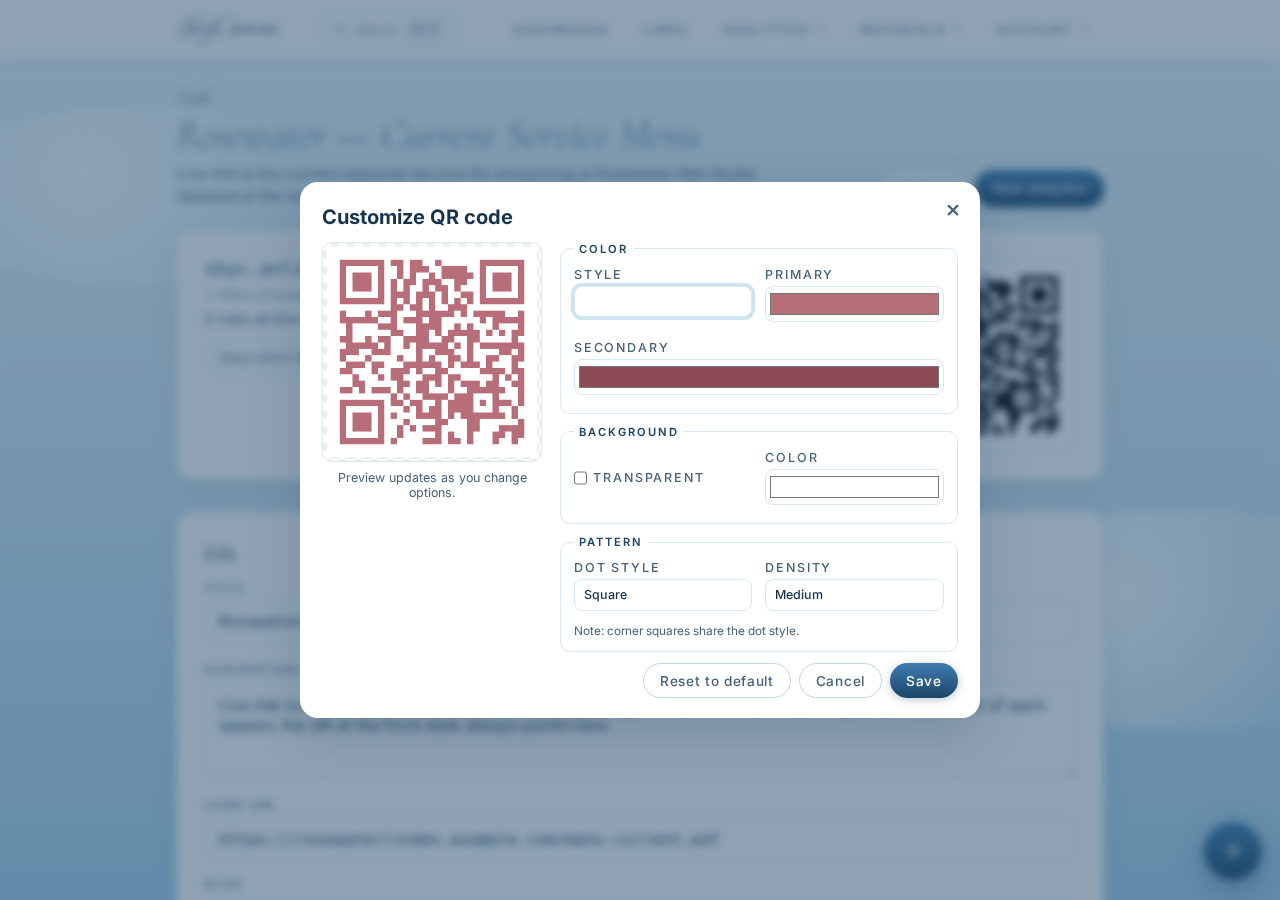
She opened the QR customization panel and pulled the studio’s palette straight from the salon signage: a warm rose gold #B76E79, a deeper mauve #8C4A55 for the corner eyes, and pure white #FFFFFF behind. The preview updated as she moved the pickers, and the modules scanned cleanly in the test on her phone, which is the part that always matters more than the look.
She downloaded the PNG at print size, dropped it into a small square card with the words Scan for today’s menu, and taped it to the corner of the mirror above chair one. Fifteen minutes total, most of it spent picking the exact rose.
5. Two weeks at the desk
The first week was quiet. A regular scanned it on Tuesday and said, “Oh, is the fall list up yet?” and Marisol realized she should probably update the PDF sooner than planned. That kind of nudge is worth more than any dashboard, but the dashboard is also useful.
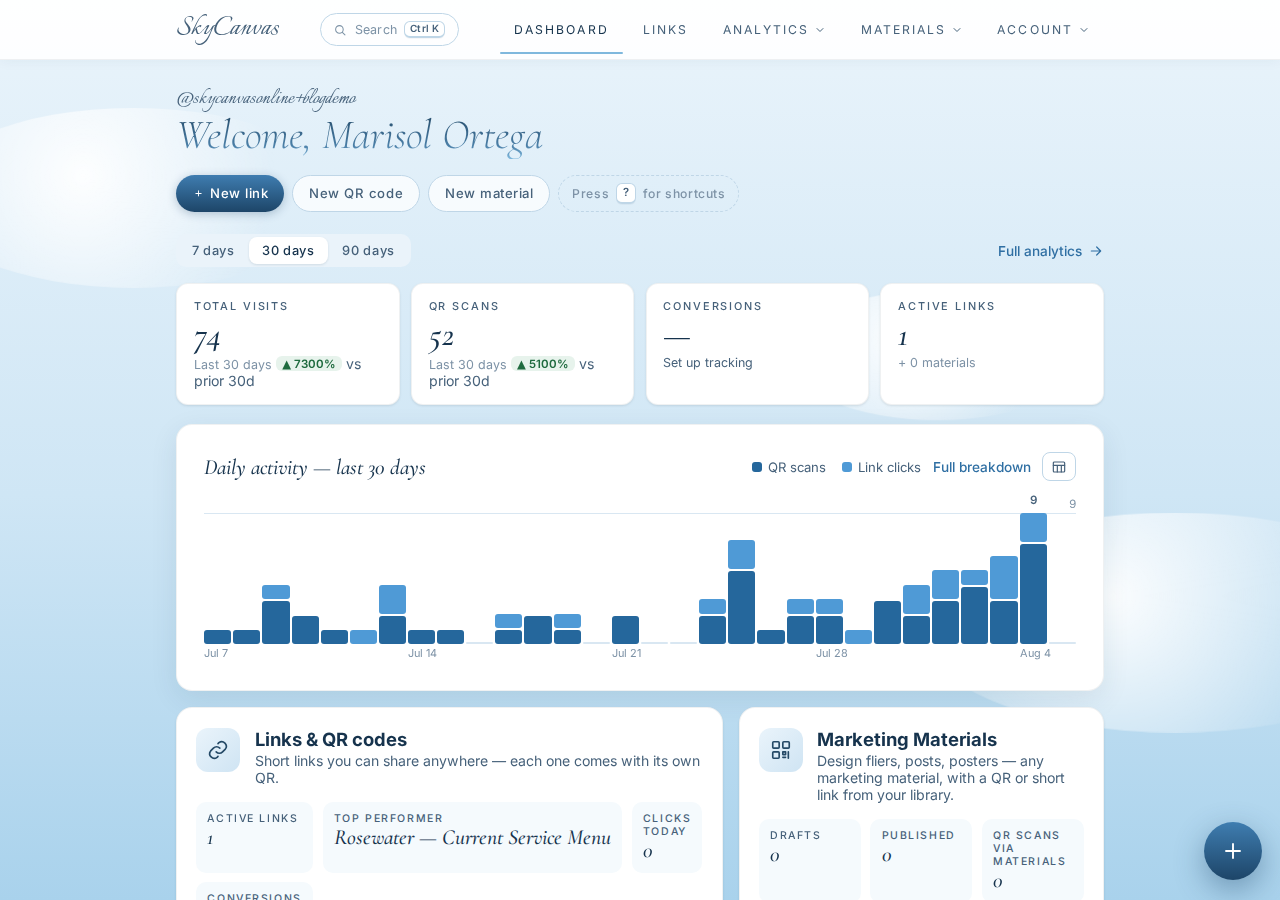
The dashboard shows the top-line numbers in tiles: clicks, QR scans, conversions, links. The daily activity chart underneath shows the shape of the week. Saturdays spiked, Mondays were dead, which matches the appointment book almost exactly.
6. The one question the analytics answered
The reason Marisol had wanted numbers in the first place was small and specific. She had two seasonal add-ons competing for a permanent slot on the menu: a pumpkin-spice sugar scrub pedicure and a cinnamon-fig hand mask. Both were popular in conversation. Only one was going to survive into the winter list.
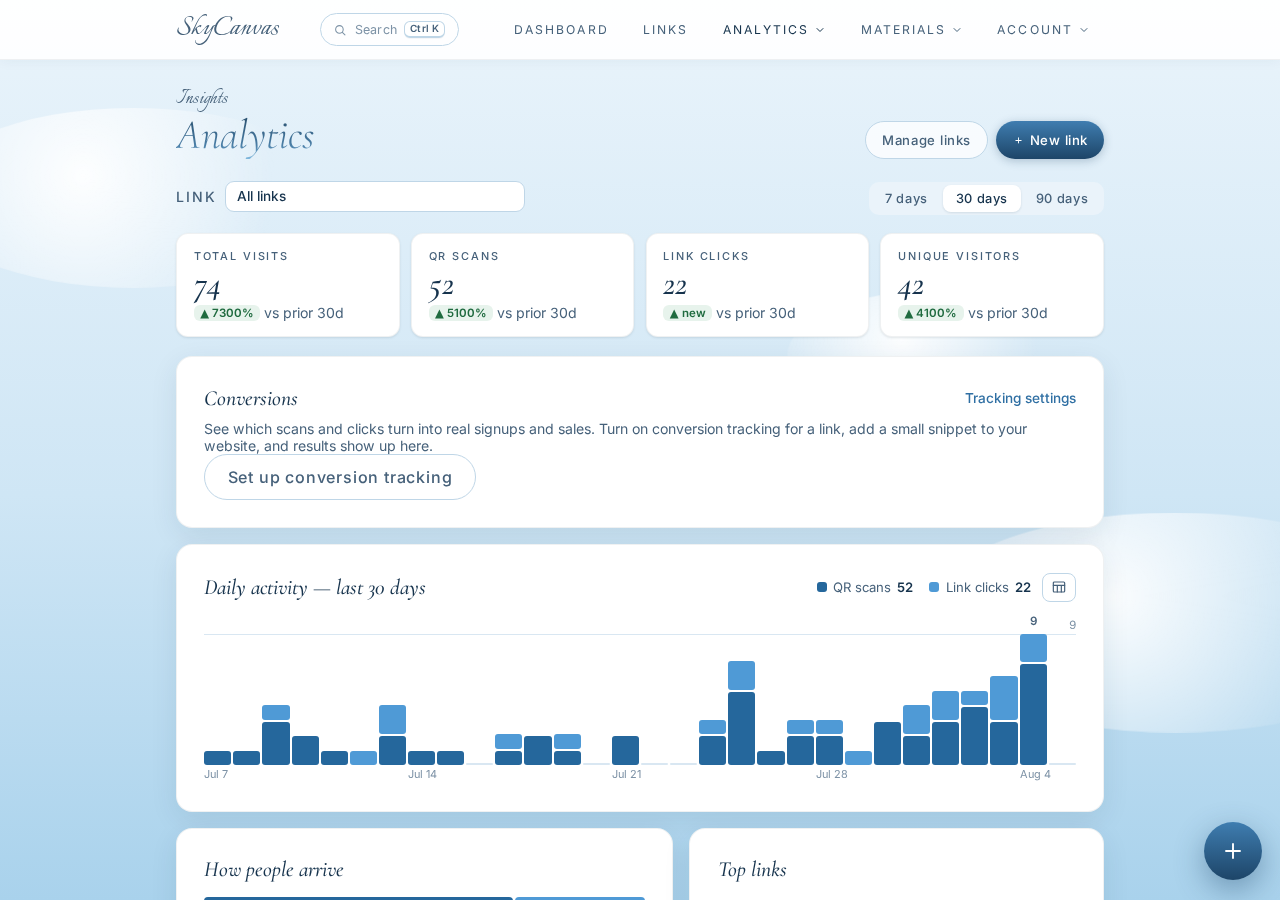
The analytics page broke the traffic down by clicks, QR scans, devices, and conversions over time. She could see which days spiked around the pedicure post, and how the mask conversation trended flatter and more evenly. Nearly all of the traffic was mobile, which confirmed the QR was doing most of the work; the Instagram-bio version of the link was a smaller stream underneath.
Two weeks in, the pedicure had roughly twice the sustained interest. Cinnamon-fig stays as a limited December feature. Pumpkin-spice earns a permanent line on the year-round menu, printed once on the wall art behind the desk and never reprinted again.
What actually changed
The laminated cards are gone. There is one small rose-gold QR on the mirror, one short link at skyc.online/rosewater-menu, and one PDF on the studio’s website that Marisol updates at the start of each season. No print shop, no lag, no wrong prices in the chair. When a client asks about the new gel palette, the answer is: scan the mirror.
If your business has a list that changes and a wall you can stick a small square onto, that is the whole workflow. Create an account and set up your own live link in the time it takes to finish a coffee.
Rosewater Nail Studio is a fictional business we created to show a real SkyCanvas workflow. Every screenshot is real, captured live while writing this guide.