Blog · August 7, 2026
Two neighborhoods, one dog walker: how a route decision came from thirty days of scan data
A solo dog walker in Portland had QR flyers on two neighborhood coffee shop bulletin boards and no idea which one was actually earning her weekday routes. Thirty days of SkyCanvas analytics ended the guessing.
Marisol Tavares walks twelve dogs a week, and only twelve. That is the whole business plan for Fern & Leash Dog Walking. She used to be a vet tech, and the thing she missed most from the clinic was knowing a dog well enough to notice when something was off. So she caps her client list, keeps her routes tight, and writes a short note home after every walk.
Tight routes matter because she is one person with a car and a leash bag. For months she had been posting little QR flyers on two neighborhood coffee shop bulletin boards, one in inner NE Portland and one in inner SE. Both boards looked equally busy. Both baristas said, “oh yeah, people take pictures of that all the time.” And she genuinely could not tell which one was earning her weekday routes.
She had two slots opening up in September and a decision to make: which neighborhood should she add first? Instead of guessing, she rebuilt her intake flow through SkyCanvas and let thirty days of data answer the question.
1. Setting up the Fern & Leash profile
The first thing Marisol did was fill out the SkyCanvas profile so every link and QR she generated afterward would carry the same voice. Nothing fancy, just the honest description of what the business actually is.
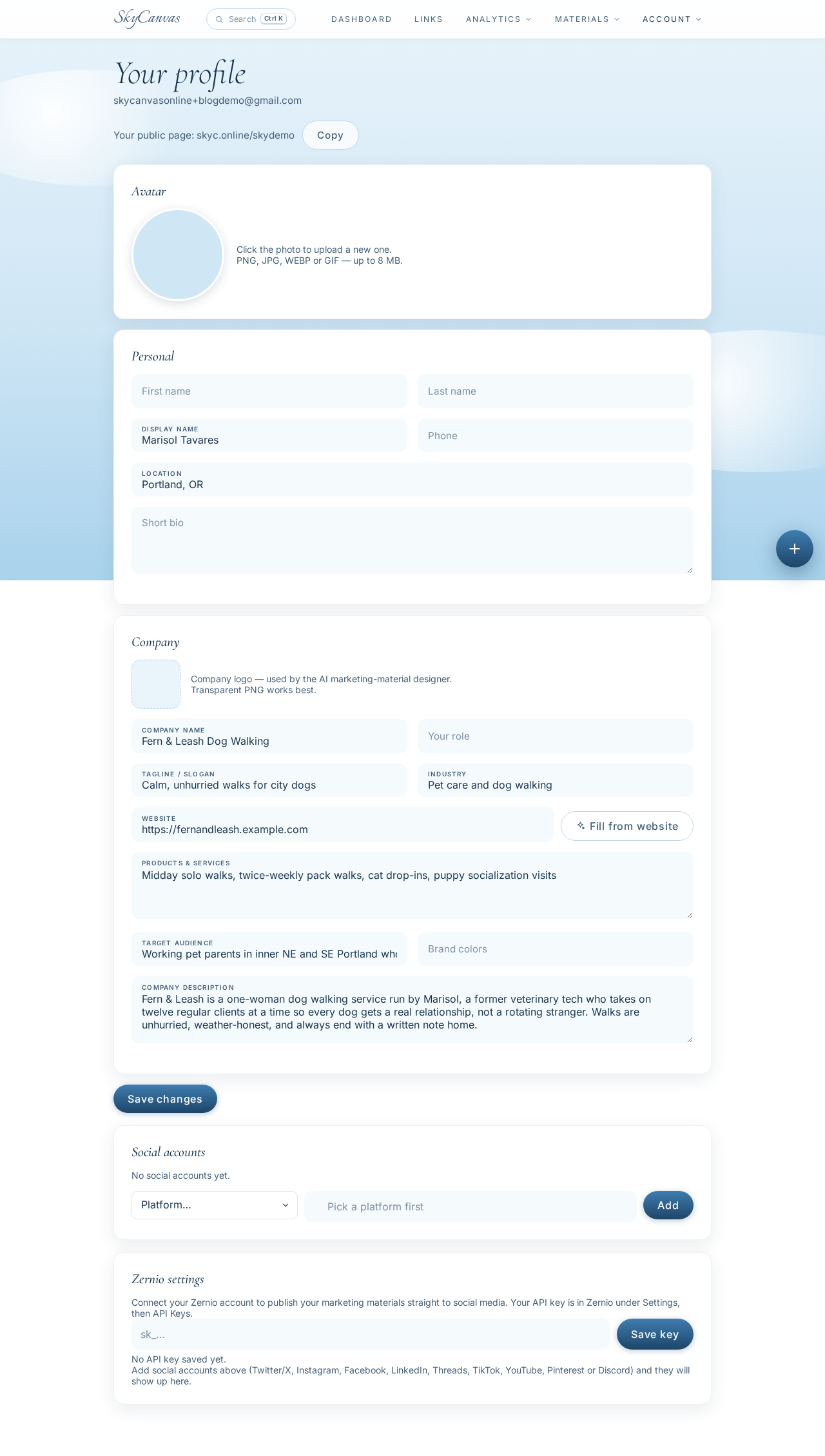
She wrote her tagline the way she says it out loud to new clients: calm, unhurried walks for city dogs. She listed her real services (midday solo walks, twice-weekly pack walks, cat drop-ins, puppy socialization visits) and her real audience (working pet parents in inner NE and SE who want the same walker every week). This profile is the source of truth that SkyCanvas leans on later when it drafts anything on her behalf.
2. Creating one short link for the intake form
Marisol did not want a different link for each flyer. She wanted one intake form, one short URL, and the analytics to tell her where the scans were coming from. So she opened the new short link form and pointed it at her intake page.
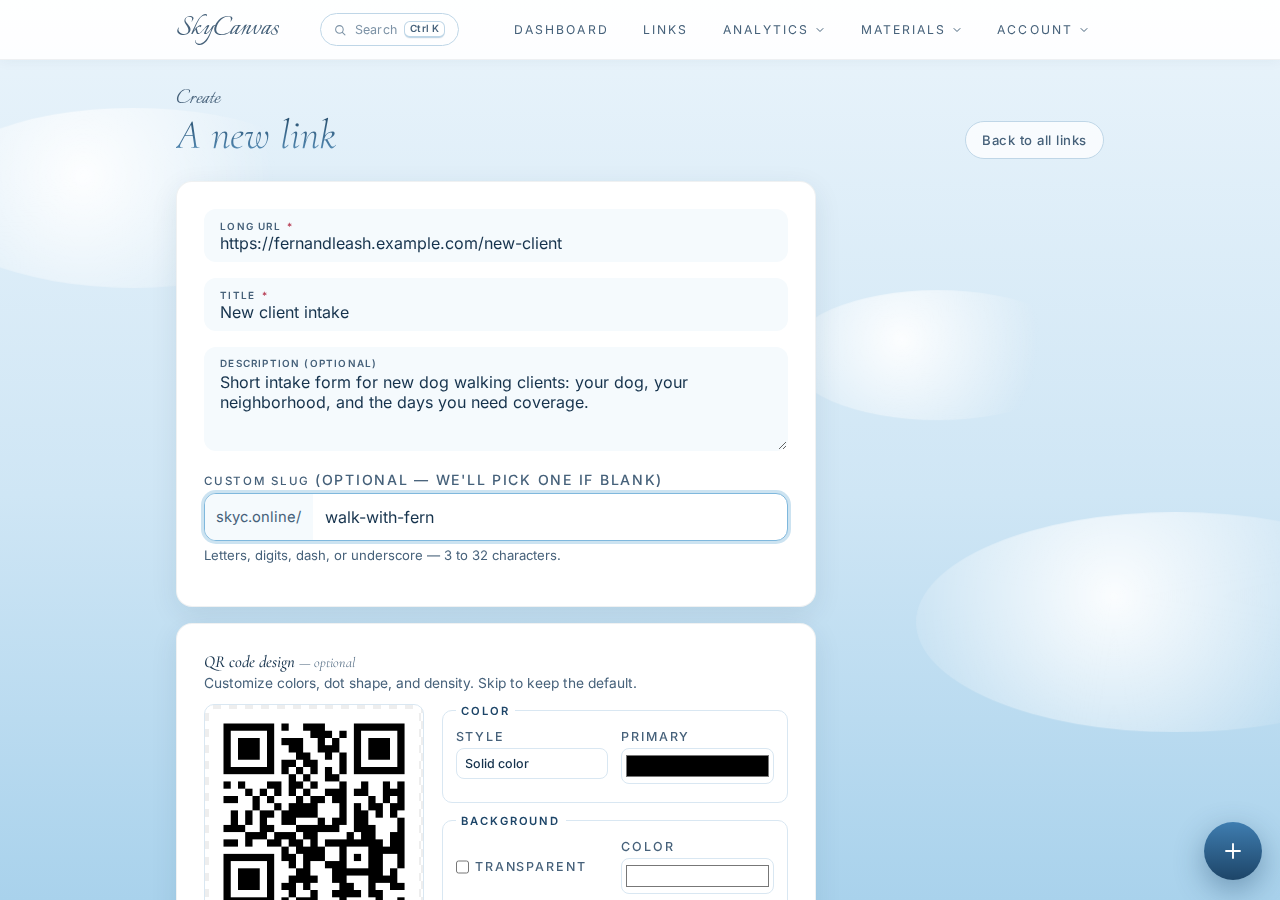
She chose the custom slug walk-with-fern because it sounded like her, not like a tracking parameter. The destination is her simple new-client intake form (dog’s name, neighborhood, days needed). The live QR preview on the right updated as she typed, which meant she was not going to be surprised by what came out of the printer.
3. Getting the link and QR ready to go
The moment she saved, SkyCanvas showed her the finished link with the short URL, the destination, and a QR code sitting there waiting to be downloaded.
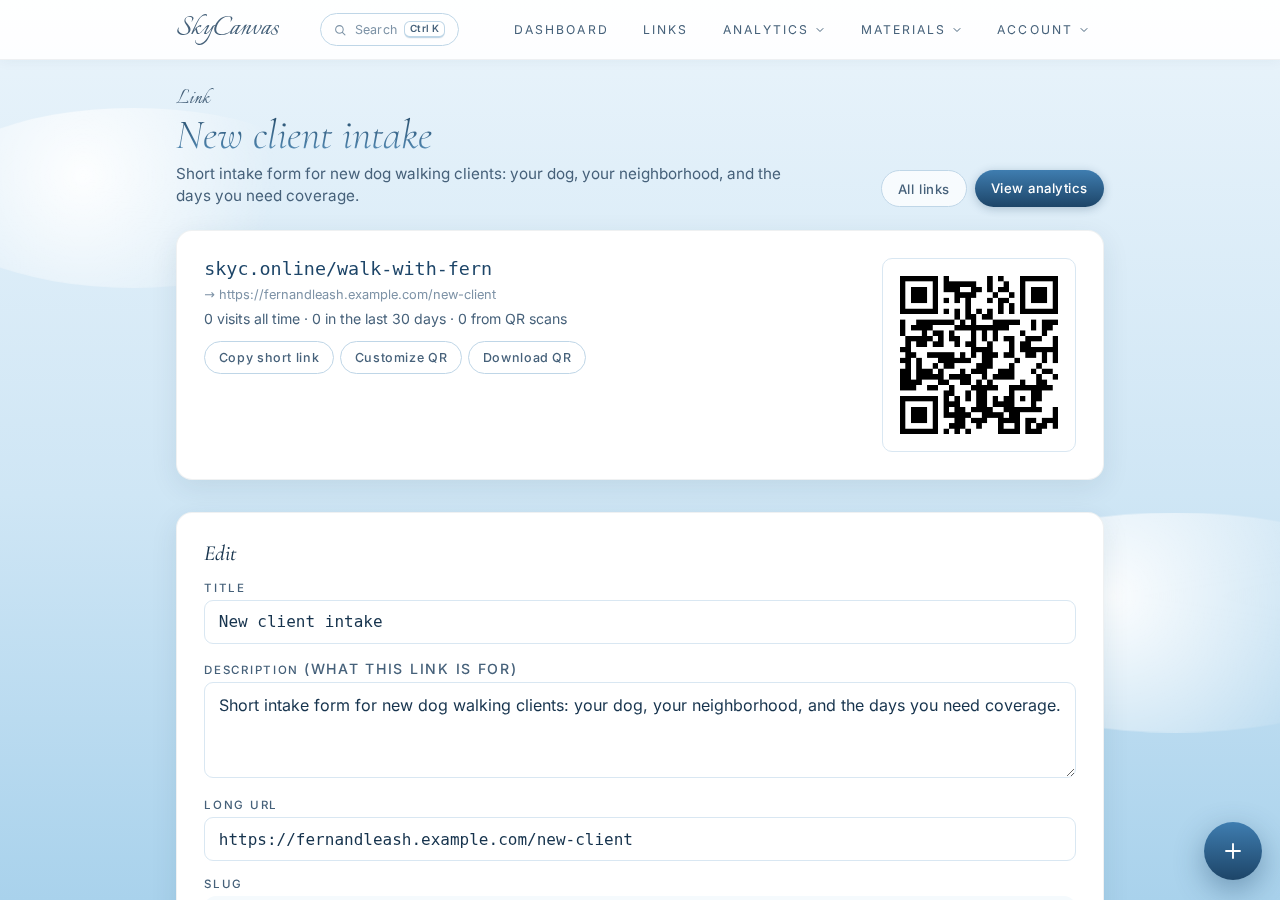
Her public short URL is skyc.online/walk-with-fern. She copied it into her phone’s notes app so she could hand it out verbally at the dog park too. But the real prize for her use case was the QR, because that was going on the coffee shop bulletin boards.
4. Coloring the QR so it looks like Fern & Leash
A default black-and-white QR would have blended in with every other flyer on the board. Marisol wanted hers to feel like a plant, not a barcode. On the same link page, she opened the QR style options and applied her brand colors.
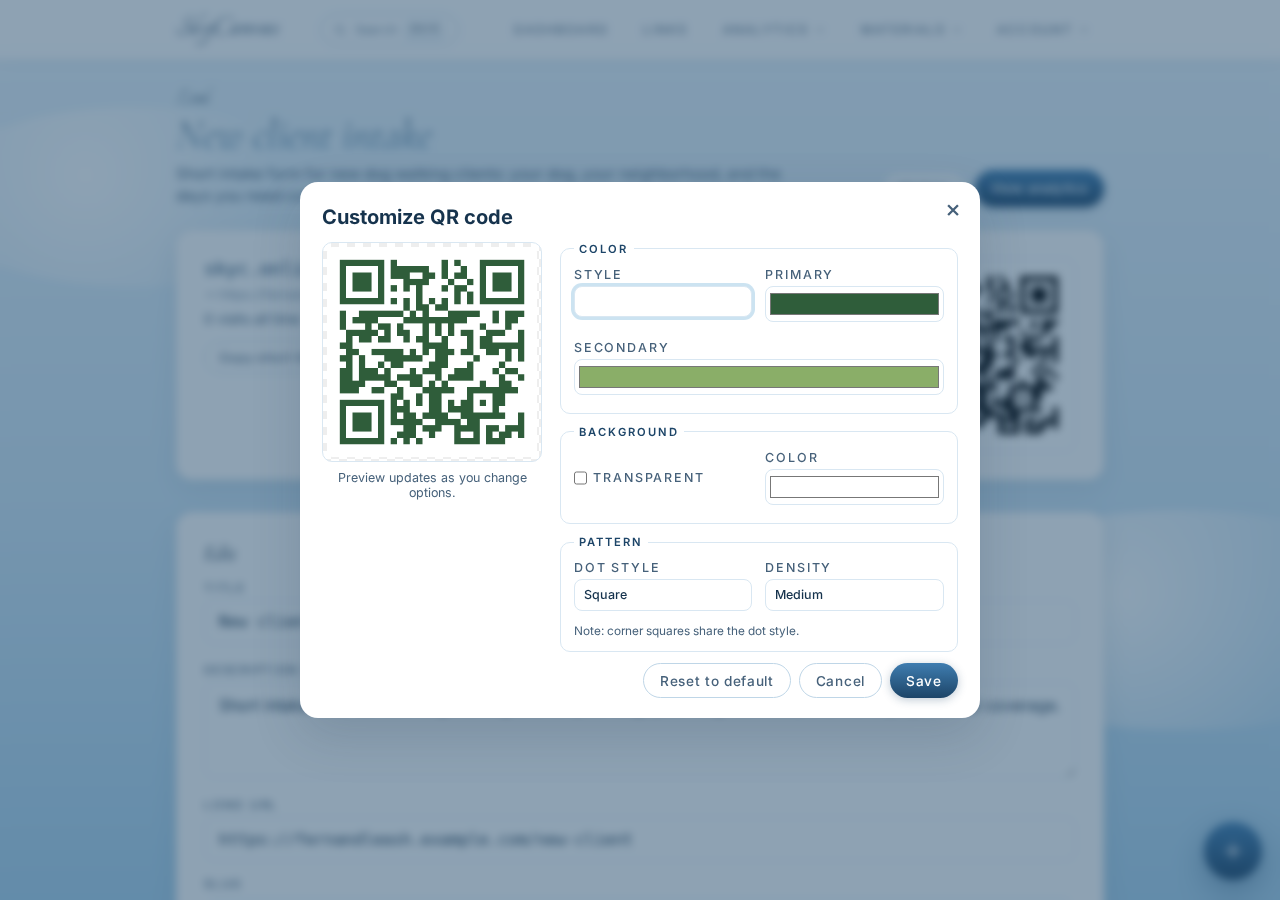
She picked a deep forest green for the main modules and a softer sage as the accent, on a plain white background. She scanned the preview with her own phone to confirm it still read cleanly (it did), then downloaded the PNG. She printed twenty copies at the neighborhood print shop, put ten on the NE board and ten on the SE board, and waited.
5. Watching the dashboard fill up over the month
For the first week she checked the dashboard maybe too often. By week two she had settled into looking on Sunday nights.
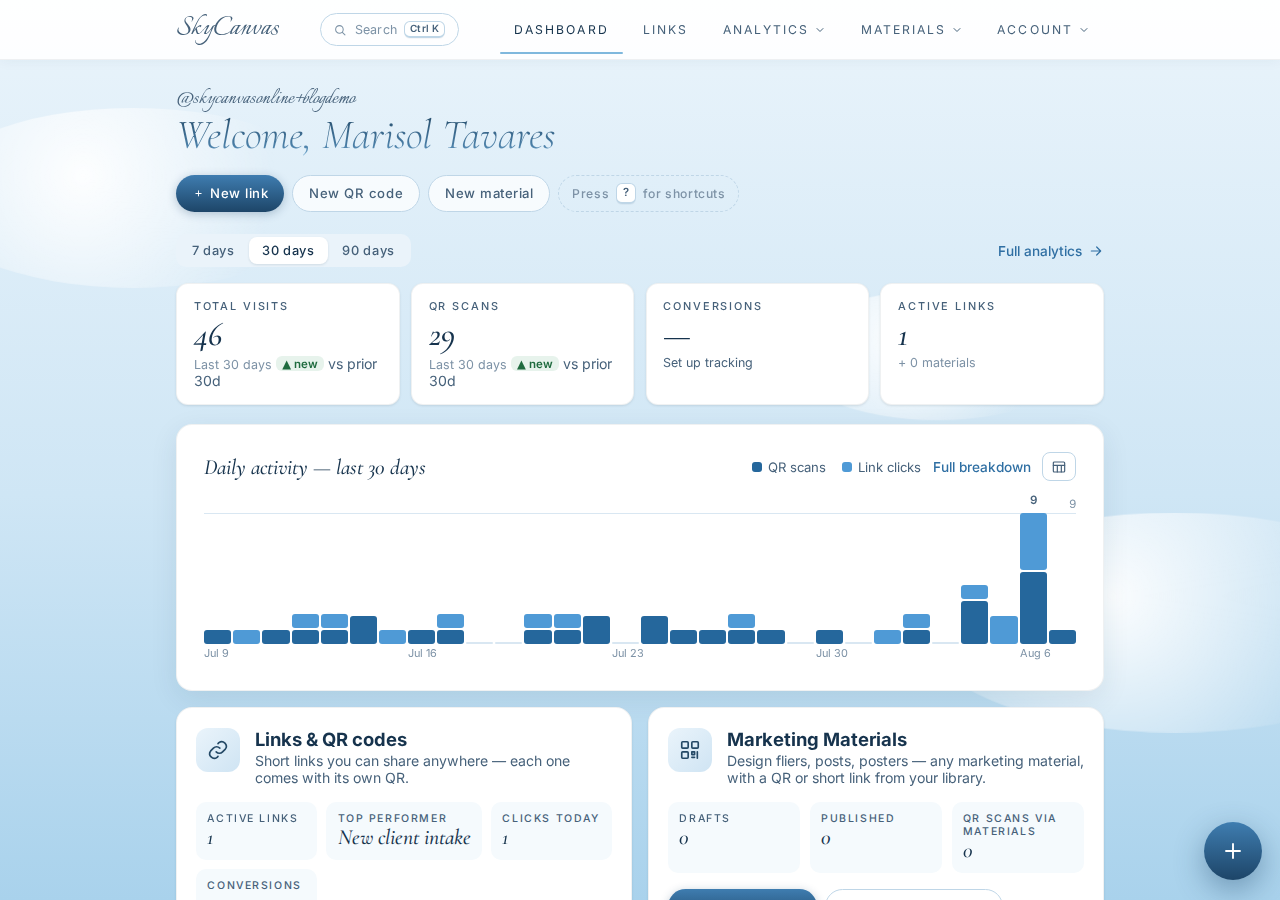
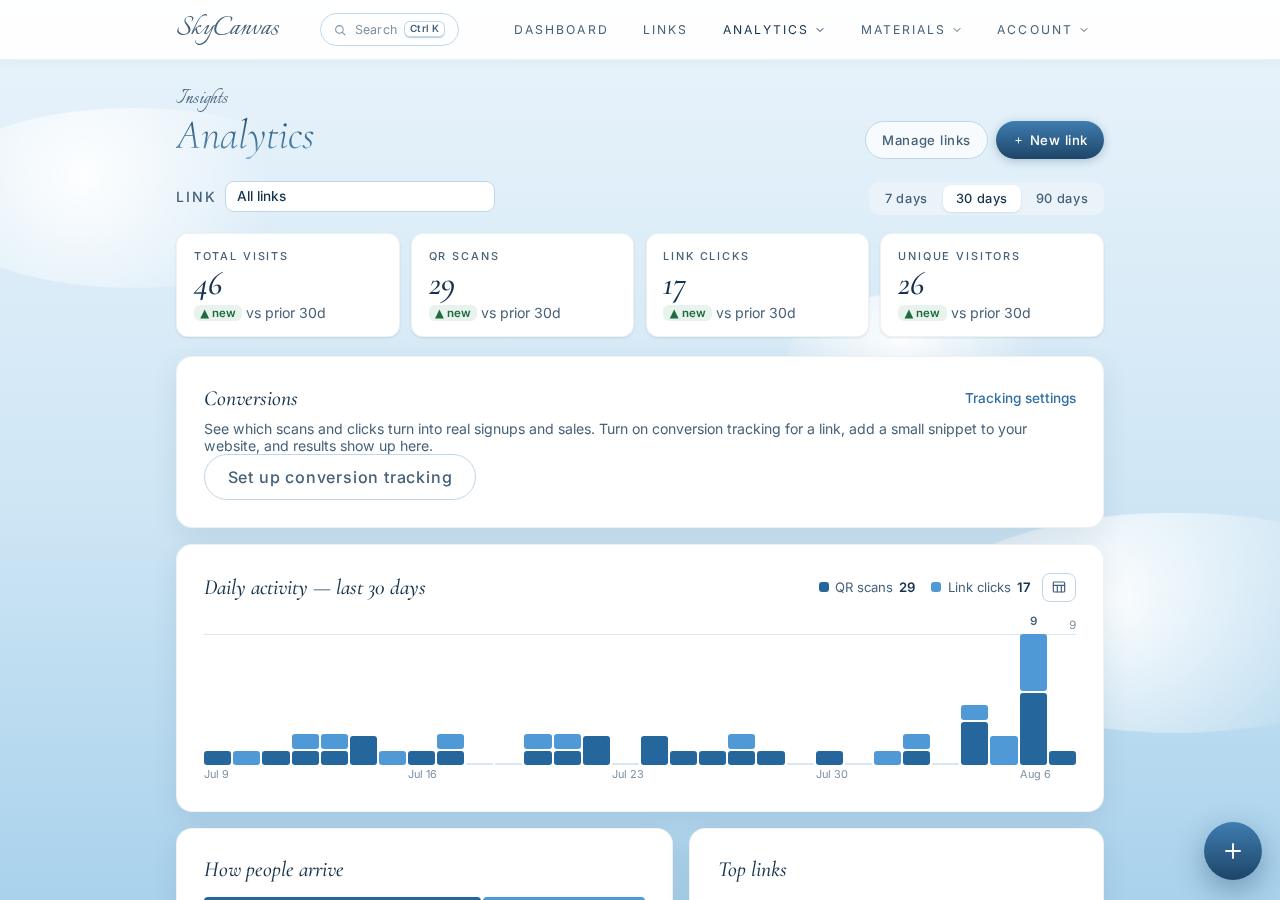
The KPI tiles gave her the quick pulse: total clicks, total QR scans, conversions (form submits, in her case), and how many links she had live. The daily activity chart underneath showed the shape of a normal week for her: quiet Mondays, spikier Wednesdays and Thursdays when people were mid-week and remembering they needed help. That pattern alone was useful. It told her which days a fresh flyer was most likely to be photographed.
6. The analytics view that made the decision
After thirty days she opened the analytics page and finally had a real answer.
The per-link breakdown showed scans steadily arriving through the month, with QR scans making up the majority of activity (which tracked, because the flyers were her only channel). The device split was overwhelmingly mobile, which also tracked. The conversions line was the one that mattered: how many of those scans actually filled out the intake form.
Here is what changed her mind. Marisol had assumed the SE board was doing the heavy lifting, because that shop is louder and busier. But looking at the daily scan curve against the days she had refreshed each board, the pattern of scans lined up with her NE refresh days almost every time. NE was the quieter room, but the people in it were the ones actually reaching for their phones and filling out the form.
What changed for Fern & Leash
She added her two new September clients from inner NE Portland, which kept her drive time down and let her chain walks together instead of crossing the river twice a day. She reprinted the NE flyer at a slightly larger size and asked the barista if she could tuck a small stack on the counter too. She kept the SE board going, because it costs her nothing, but she stopped guessing about which neighborhood was working.
The whole decision cost her one short link, one printed QR, and a habit of checking the dashboard on Sundays.
If you run a small service business and you are making a route or a scheduling decision based on a gut feeling, try letting the scans tell you instead. You can set up your own short link and branded QR at skycanvas.online/register and have something on a bulletin board by the end of the week.
Fern & Leash Dog Walking is a fictional business we created to show a real SkyCanvas workflow. Every screenshot is real, captured live while writing this guide.